Use the following command to checkout recent branch:
git checkout -
It's basically an alias for:
git checkout @{-1}
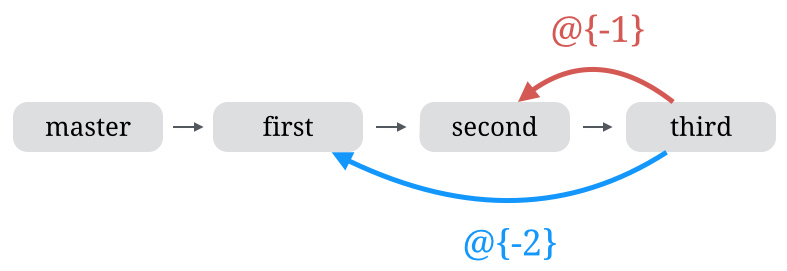
You can checkout any previous branch, by replacing N with the N-th last branch that was checked out.
git checkout @{-N}
Following diagram (source), illustrates it perfectly:
Comments
Join the discussionNo comments yet. Be the first to comment.